10 Best Monitors 2026 in the United States


Related Products
Up to 21% off

Recommended lists

Dj Monitors
Our technology thoroughly searches through the online shopping world, reviewing hundreds of sites. We then process and analyze this information, updating in real-time to bring you the latest top-rated products. This way, you always get the best and most current options available.

Our Top Picks
Winner
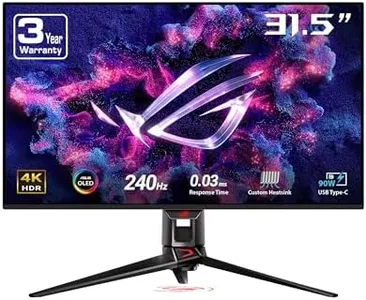
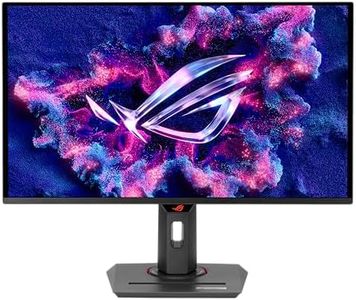
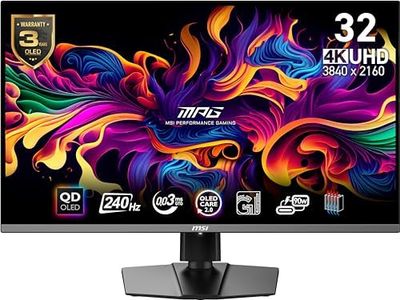
ASUS ROG Swift 32” 4K OLED Gaming Monitor (PG32UCDM) - UHD (3840 x 2160), QD-OLED, 240Hz, 0.03ms, G-SYNC Compatible, Custom Heatsink, Graphene Film, 99% DCI-P3, True 10-bit, 90W USB-C
Most important from
555 reviews
The ASUS ROG Swift PG32UCDM is a premium 32-inch 4K OLED gaming monitor designed for gamers who want top-tier visuals and smooth performance. Its 3840 x 2160 resolution offers sharp, detailed images, while the QD-OLED panel delivers vibrant colors and deep blacks, enhancing HDR content with a 99% DCI-P3 color gamut and true 10-bit color depth. The standout feature is its 240Hz refresh rate combined with an ultra-fast 0.03ms response time, making fast-paced gaming look incredibly fluid and responsive. It also supports G-SYNC, reducing screen tearing for a smoother experience.
ASUS has addressed OLED burn-in concerns by including a custom heatsink, graphene film, and smart airflow design to manage heat efficiently. Some users might still want to be cautious with static images over long periods. The monitor has a matte screen surface to reduce glare, which is helpful in bright rooms, although peak brightness can vary due to factory color calibration, so it might not be the brightest HDR display available. Connectivity includes a powerful 90W USB-C port, making it convenient for laptop users.
With a solid 4.4-star rating from thousands of users, this monitor suits serious gamers who prioritize visual quality and speed while being aware of OLED’s typical care requirements.
Most important from
555 reviews
Alienware 34 240Hz QD-OLED Curved Gaming Monitor - AW3425DW - 34.2-inch WQHD (3440 x 1440) 0.03ms Display, 1800R Curve, AMD FreeSync Premium Pro, VESA AdaptiveSync, DisplayHDR TrueBlack 400
Most important from
325 reviews
The Alienware 34 AW3425DW is a 34.2-inch ultrawide curved gaming monitor that stands out with its QD-OLED panel. This technology offers deep black levels, vibrant colors, and excellent clarity, making games look stunning and immersive. Its resolution is 3440 x 1440 (WQHD), which provides ample screen space and sharp visuals without overloading your graphics card as 4K might.
With a 240Hz refresh rate combined with an ultra-fast 0.03ms response time, motion is extremely smooth and blur-free, which is ideal for fast-paced games. Adaptive sync technologies like NVIDIA G-SYNC compatibility and AMD FreeSync Premium Pro prevent screen tearing and stuttering, improving gameplay fluidity. Connectivity options include multiple DisplayPort and HDMI ports plus USB ports, making it easy to connect to PCs and consoles. For comfort, the monitor supports height adjustment, swivel, and tilt, allowing you to find a comfortable viewing angle. The 1800R curve enhances immersion by matching the natural curve of your eyes, and it also features a blue light filter to reduce eye strain during long sessions.
Brightness peaks at 250 nits, which might be low for very bright rooms, although the HDR TrueBlack 400 helps with contrast in darker scenes. Its size and weight require a sturdy desk or compatible mount. This monitor is an excellent choice for gamers who want a premium ultrawide display with blazing speed and impressive picture quality, especially if you prioritize smooth gameplay and rich colors over the absolute highest brightness or 4K resolution.
Most important from
325 reviews
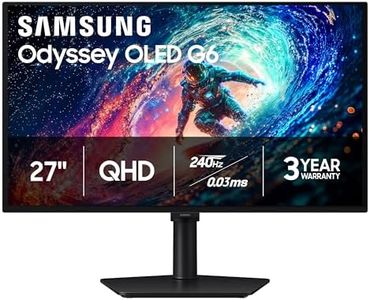
Samsung 27" Odyssey OLED G6 (G61SH) Gaming Monitor - QD-OLED, QHD (1440P), 240Hz, 0.03ms, Glare-Free, Pantone Validated, HDR10, Height-adjustable stand, OLED Safeguard, 3 Year Warranty, LS27HG612SNXZA
Most important from
62 reviews
The Samsung 27" Odyssey OLED G6 is a standout choice for gamers looking for sharp visuals and fast performance. Its 27-inch QD-OLED screen offers vibrant colors and deep blacks thanks to OLED technology, making games look lifelike and immersive. The QHD resolution (2560x1440) strikes a good balance between detail and performance, especially on this screen size. One of the monitor’s biggest strengths is its very high 240Hz refresh rate combined with an ultra-fast 0.03ms response time—perfect for smooth gameplay without blurring or lag. AMD FreeSync Premium support also helps reduce screen tearing for an even cleaner image.
The display’s Pantone validation means colors are accurate, which is a bonus if you care about color quality beyond gaming. The screen has a matte, glare-free finish to minimize reflections, helping keep visuals clear in various lighting. The monitor includes an adjustable stand that lets you tilt, swivel, and change height, so you can find a comfortable viewing position during long sessions. Also, Samsung’s OLED Safeguard technology helps prevent burn-in, a common OLED concern, extending the screen’s life.
It only offers one HDMI port alongside DisplayPort, which might limit easy connections to multiple devices without extra gear. With a 3-year warranty, this model is reliable for gaming enthusiasts who want top-tier speed and stunning picture quality in a mid-sized monitor. If you need multiple HDMI inputs or a larger screen, other options might suit better.